Split the take
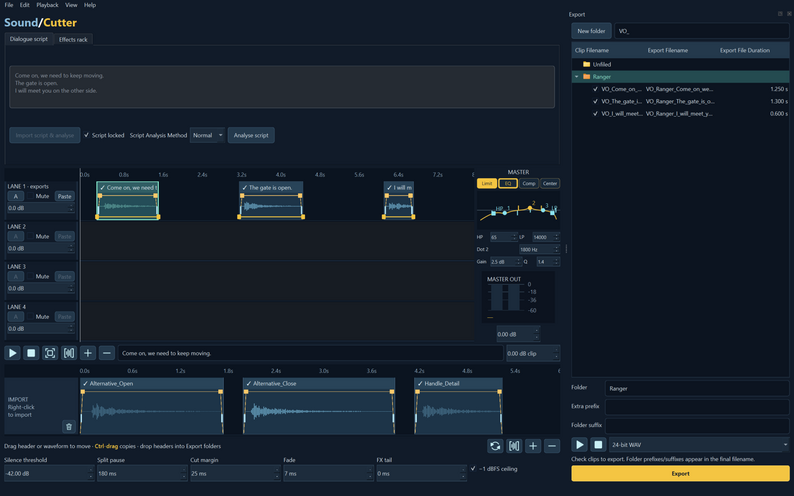
Use silence detection to find cut points, or import a dialogue script to segment a recording into lines.
Cut dialogue and sound effects, build layers and batch export WAV files from one workspace.
USD · Payhip checkout · Direct Windows trial download Watch the demo 0:31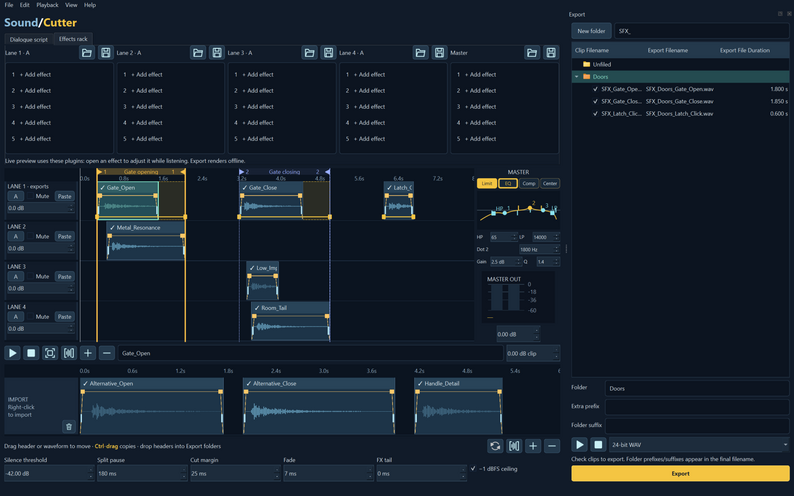
Use silence detection to find cut points, or import a dialogue script to segment a recording into lines.
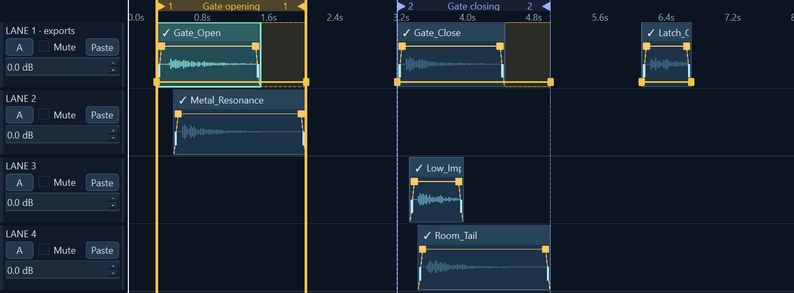
Arrange clips on four lanes. Apply VST3 effects to a lane or the master, then shape the mix with built-in EQ, compression and limiting.
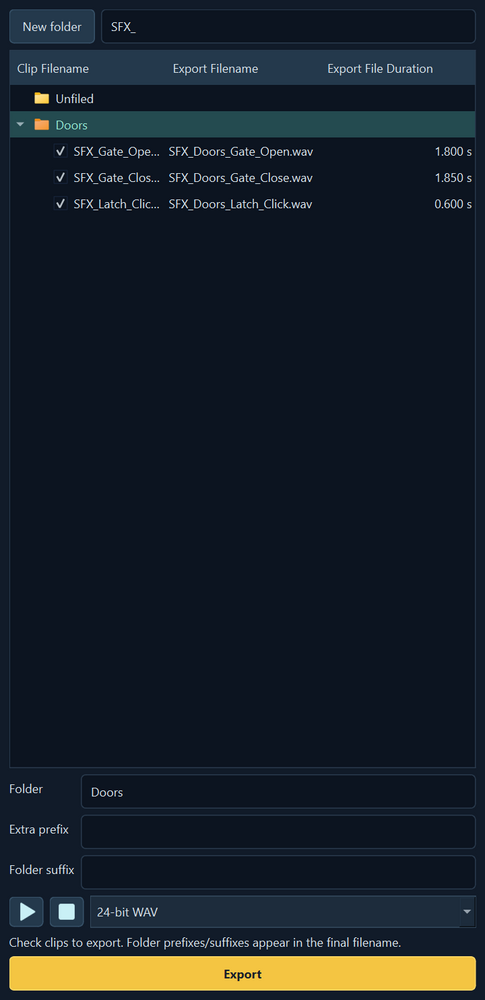
Group clips in folders, preview filenames with prefixes and suffixes, then batch export 16-bit, 24-bit or 32-bit float WAV files.
Choose Buy now to pay $4.99 USD plus applicable tax at Payhip’s secure checkout. Enter your email so Payhip can send your receipt and download link.
After payment, download SoundCutter-0.6.26-Windows-x64.zip from the confirmation page or your receipt. Extract the ZIP, run the installer and launch Sound Cutter from the Start menu. Open a project saved in the trial to export your WAV files. No licence key is required.
Choose Download free trial, then run the downloaded Windows installer. The trial lets you edit and save projects. WAV export is available in the full version.
Both editions require Windows 10 build 19041 or later.